Introduction
RecCloud is rapidly gaining popularity among professionals, students, and content creators who are looking for a dependable platform to store, organise, and distribute their recordings. RecCloud provides an easy way to record, organise, and access your files from any device thanks to its sophisticated recording features and user-friendly interface. We’ll go into RecCloud’s definition, operation, main features, cost, and suitability for your recording and cloud storage requirements in this review.
1) Key Features
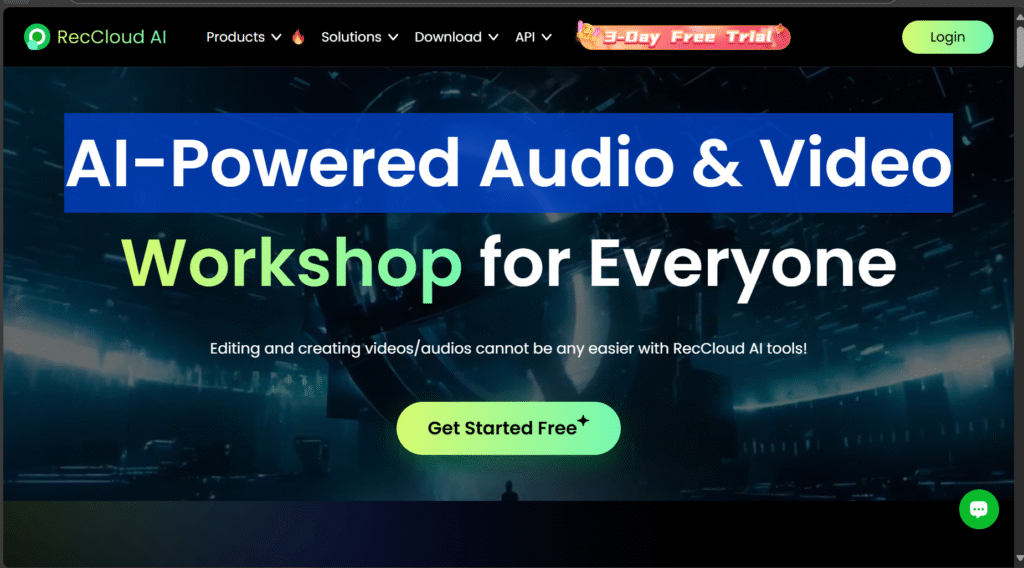
RecCloud is a cloud-based platform that makes it simple for users to record, store, organise, and share audio and video files. RecCloud offers a quick and easy way to keep your files organised and accessible on various devices, whether you’re a student recording lectures, a business professional recording meetings, or a content creator working on multimedia projects.
This platform is unique in that it combines recording tools with safe cloud storage, allowing users to record and store content online without requiring multiple apps. RecCloud is a practical all-in-one solution for both personal and professional use because it supports both screen and audio recording.
Key Things RecCloud Helps With:
- Recording high-quality audio and video
- Storing files securely in the cloud
- Easy access to your recordings anytime, anywhere
- Quick sharing options for teams, clients, or classmates
Because everything is saved online, users don’t have to worry about losing files or taking up unnecessary space on their devices.
2)Core Functionalities
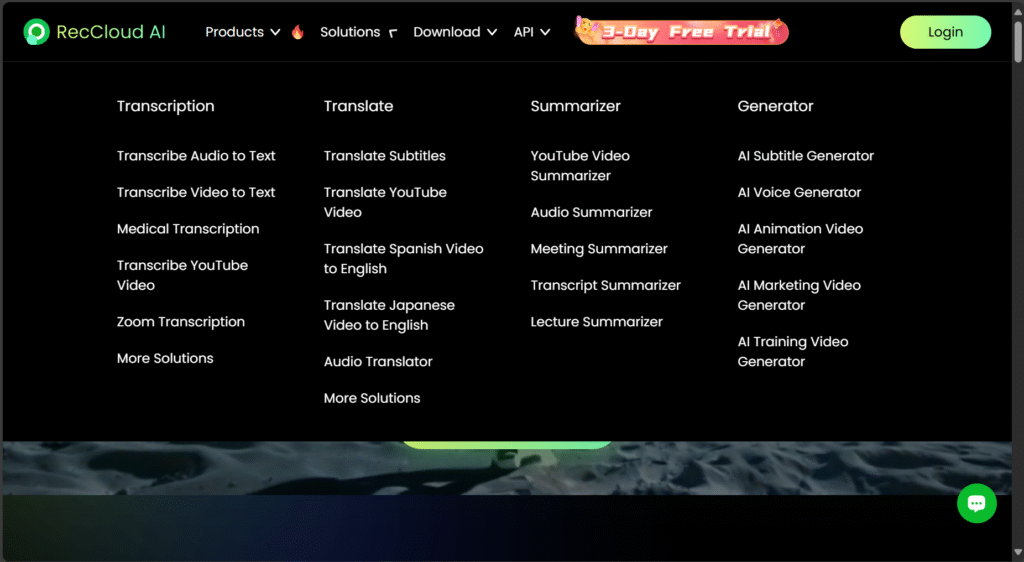
RecCloud offers a range of core functionalities designed to make recording, storing, and managing digital content simple and efficient. Whether you’re a student taking class notes, a professional sharing meeting recording, or a content creator organizing media files, RecCloud provides essential tools to support your workflow. Below are the key functions that set RecCloud apart:
2.1) Screen, Audio & Webcam Recording
RecCloud allows users to record their screen, system audio, microphone, and webcam with just a few clicks. Whether you’re creating tutorials, hosting online meetings, or saving streaming content, RecCloud offers flexible recording options suitable for different needs.
2.2) Cloud-Based Storage & File Management
One of the most valuable features of RecCloud is its cloud storage system. All recordings are automatically saved online, allowing you to access, organize, rename, or download files anytime—without worrying about losing data or occupying device storage.
2.3) AI-Powered Transcription & Editing Tools
RecCloud integrates AI tools for transcribing audio and video content into text. This is especially useful for students, professionals, and content creators who need quick captions, meeting notes, or script conversions.
3)Pricing Plans
Here is a concise, understandable summary of RecCloud’s pricing tiers, along with what each one offers and helpful advice to help you make the best decision. To help readers visually compare tiers, it would be appropriate to include images or screenshots of the plan tables at the beginning of this section and next to the “what you get” breakdowns.
3.1) What You’ll Find in RecCloud’s Pricing
RecCloud provides a range of subscription tiers (as well as credit-based options for using the API) so that power users and casual users alike can select a plan that best suits their requirements.
One pricing summary states that the “Basic” tier of plans starts at US $4.99 per month.
Another section of the website lists weekly or annual memberships through an in-store app; for example, a weekly membership costs $12.90 USD.
Apple
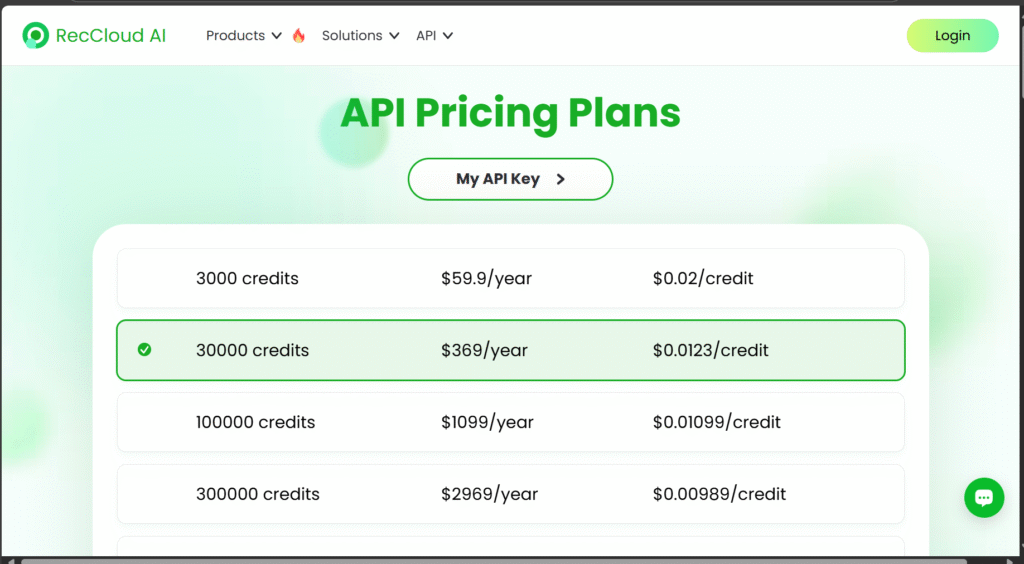
RecCloud also has credit-based pricing if you want to use its API features (speech-to-text, AI processing), such as 3,000 credits for US $59.9/year, 30,000 credits for US $369/year, etc.
3.2) Breakdown of Main Subscription Tiers
Here’s a simplified look at what the typical plans offer (note: features may vary with promotions/updates — always check the latest on RecCloud’s website).
| Tier | Approximate Price* | What You Get (Highlights) |
|---|---|---|
| Basic | ~ US $4.99/month | Entry-level: smaller storage, limited team seats. Techimply+1 |
| Plus | ~ US $5.99/month | Mid-tier: more storage, more weekly upload allowance, more team members. Techimply |
| Pro | ~ US $9.99/month | Top tier: large upload/storage allowances, most team seats. Techimply+1 |
*Prices based on published summaries — actual pricing may vary by region, promotions, annual commitments.
3.3) API / Credit-Based Pricing
If you plan to use RecCloud for API-enabled features (for example, AI transcription, speech-to-text, bulk processing), here’s what to know:
- For example: 3,000 credits cost US $59.9/year; 30,000 credits US $369/year; 100,000 credits US $1,099/year. RecCloud
- Credits are used when you consume tasks via the API (e.g., each minute of speech-to-text may cost a credit/minute). RecCloud
- This model is ideal for large-scale users (teams, developers) rather than casual individual use.
4)Pros & Cons
Before deciding if RecCloud is the right tool for you, it’s important to weigh its strengths and limitations. Below is a quick breakdown to help you make an informed choice.
4.1) Pros of RecCloud
Easy to Use – RecCloud offers a clean and intuitive interface that makes it simple for beginners to record, upload, and manage their media files without technical setup.
All-In-One Recording & Storage – You don’t need separate tools for recording and cloud storage. RecCloud combines both in one platform for a seamless workflow.
Accessible on Any Device – Because RecCloud is cloud-based, you can log in and access your recordings from your phone, tablet, or computer anytime.
Fast Sharing Options – Users can share links to recordings instantly, making it convenient for collaboration, training, and content review.
Secure File Management – RecCloud includes basic privacy and access controls to help protect sensitive files.
4.2) Cons of RecCloud
Limited Free Storage – The free plan may not provide enough space for users who record frequently or upload large files.
Requires Internet Access – Since RecCloud is cloud-based, you need a stable internet connection to access and manage your files.
Advanced Features May Require Upgrade – Some useful features may only be available on paid plans, which can be a downside for budget-conscious users.
Not Ideal for Complex Editing – RecCloud focuses more on recording and storage, so users who need advanced editing tools may require additional software.
5) Security & Privacy Protection
Security and privacy are two of the most crucial aspects to take into account when selecting a cloud-based recording platform. RecCloud takes user data security seriously, protecting your recordings from unwanted access with encrypted protocols and secure storage systems. This guarantees the constant protection of your private documents, business conferences, online courses, and other sensitive information.
RecCloud protects your recordings from being intercepted or accessed during file transfers by encrypting them. Furthermore, user accounts are secured with authentication features and password security, which lowers the possibility of unauthorised access.
The fact that RecCloud allows users to manage their privacy settings is an additional advantage. When working with others, it’s easier to control access because you can decide who can watch, edit, or share your recordings. You can customise permissions to meet your needs when sharing files with clients, colleagues, or students.
RecCloud is a reliable platform for business, education, or personal use since it offers a safe environment that is intended to safeguard your data.
Conclusion
RecCloud has positioned itself as a convenient, user-friendly, and secure platform for anyone who needs to record, store, and share digital content across devices. With its straightforward interface, flexible features, and strong focus on privacy and data protection, it’s a reliable choice for students, educators, content creators, and professionals who want an all-in-one recording and cloud storage solution.
If you’re looking for a platform that simplifies recording, offers accessible cloud storage, and helps you manage and share your files with ease, RecCloud is definitely worth considering. While every tool has room for improvement, the benefits it brings—especially in terms of accessibility, security, and user experience—make it a solid option for both personal and professional use.
In short, RecCloud stands out as a modern solution designed to keep your recordings safe, organized, and always within reach. Whether you’re switching from another platform or trying cloud recording tools for the first time, RecCloud is a smart platform to try.